

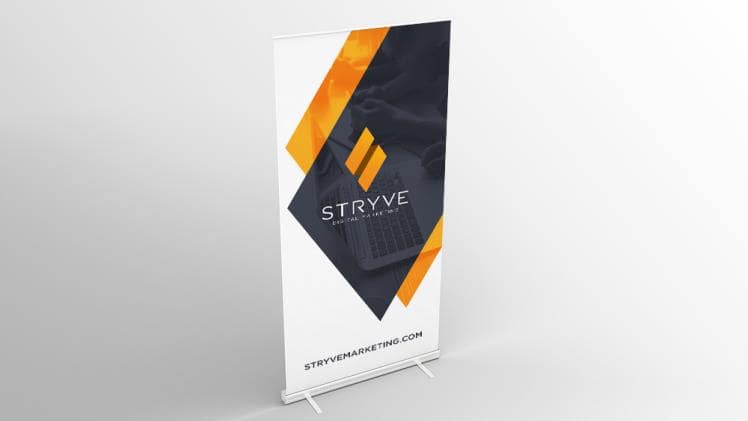
A banner is a great way to promote your business, product, or service.
But how do you make sure that your banner makes an impact? Here are 20 tips:
1. Keep it simple.
Don’t overcrowd your banner with too much text or too many images. Stick to one or two key messages that you want to get across.
2. Make it eye-catching.
Use bright colors and bold fonts to grab attention.
3. Use high-quality images.
Blurry or low-resolution images will make your banner look unprofessional.
4. Proofread your banner carefully before you print it or post it online.
Typos and grammar mistakes will reflect poorly on your business
5. Get creative with your design.
Don’t be afraid to experiment and try something new.
6. Don’t forget your call to action.
Make sure your banner includes a strong call to action, such as “Click here to learn more” or “Buy now.”
7. Make it easy to read.
Use clear, concise language that can be easily understood by your target audience.
8. Keep it relevant.
Your banner should be relevant to your business, product, or service.
9. Target your audience.
Make sure your banner is aimed at your target audience and speaks to their needs and interests.
10. Stand out from the crowd.
With so many businesses using banners, it’s important to make yours stand out from the rest.
11. Make it professional.
Your banner should reflect the professionalism of your business.
12. Use negative space.
Don’t be afraid to use empty space on your banner. This can actually help draw attention to your design.
13. Be consistent with your branding.
Use your banner as an opportunity to reinforce your brand identity. Use the same colors, fonts, and logos that you use on your website and other marketing materials.
14. Consider animation.
If you’re posting your banner online, you might want to consider using animation to make it more eye-catching.
15. Test your banner before you launch it.
Show your banner to a few people before you launch it to get feedback and make sure it’s effective.
16. Keep it updated.
Your banner should be a reflection of your current products, services, and promotions. Make sure to update it regularly.
17. Put your contact information on your banner.
Make sure people can easily find your contact information, such as your website or email address.
18. Use social media to promote your banner.
If you’re posting your banner online, promote it through your social media channels to reach a wider audience.
19. Track your results.
If you’re using online banners, make sure to track the click-through rate and other metrics to gauge its effectiveness.
20. Get help from a professional designer.
If you’re not confident in your design skills, consider hiring a professional designer to create a banner for you.
Creating an impactful banner doesn’t have to be complicated. By following these 20 tips, you can design a banner that will grab attention and promote your business effectively.
By following these tips, you can create a banner that will make a big impact on your business.
FAQs:
1. How often should I update my banner?
Your banner should be updated regularly to reflect your current products, services, and promotions. However, how often you update it will depend on your business and the frequency of changes in your product offerings or promotions.
2. What’s the best way to track the results of my banner?
If you’re using online banners, make sure to track the click-through rate and other metrics to gauge their effectiveness. This will help you determine whether or not your banner is having the desired effect on your target audience.
3. I’m not confident in my design skills. Should I hire a professional designer to create my banner?
If you’re not confident in your design skills, you may want to consider hiring a professional designer to create a banner for you. This will ensure that your banner is high-quality and reflects the professionalism of your business.
Conclusion:
An impactful banner can be a great way to promote your business. Keep it simple, eye-catching, and relevant to your target audience, and you’ll be sure to create a banner that will grab attention and effectively promote your business.
