

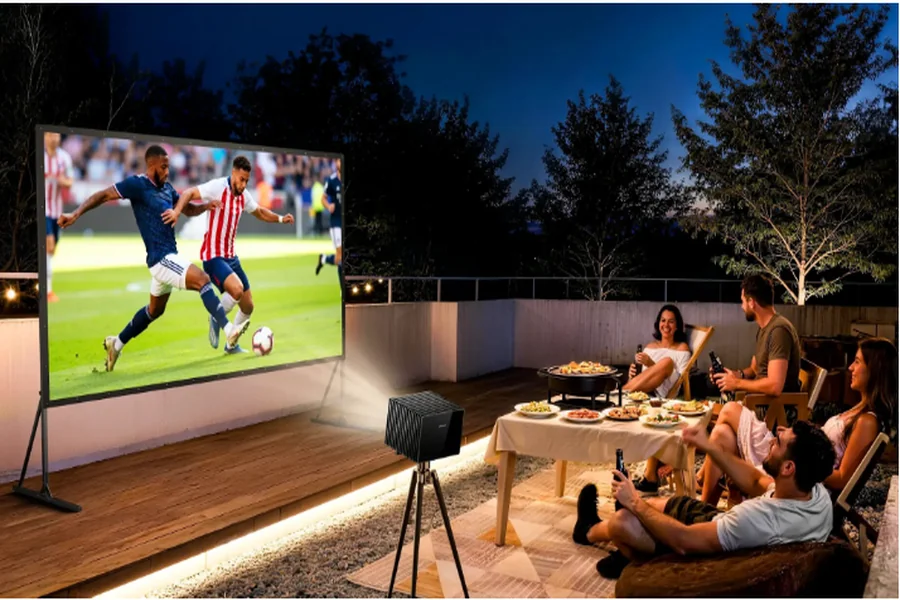
Optimizing a projection system for gameplay differs greatly from standard home theater calibration built for film playback. Film viewing is a passive pastime, where minor processing delays hold no real impact on enjoyment. So long as audio and visual content stay synchronized, internal hardware run times remain unnoticeable to viewers. Gameplay relies on active, instant user interaction. Any noticeable gap between controller inputs and on-screen reactions will disrupt fluid control and break overall user immersion.
Upgrading to a large 120-inch projection display delivers immersive visuals, yet expansive screen size cannot resolve slow control response. Selecting and installing the best 4K projector to match your room layout is only the initial step. Proper system calibration for rapid real-time image output decides whether the device operates smoothly for interactive use. Users looking for large-scale, responsive gameplay must develop clear awareness of latency factors, refresh rate standards and complete video signal processing flows.
The Input Lag Threshold
Input lag ranks among the most critical performance metrics for every gaming-focused display solution. Measured in milliseconds, this spec calculates the total time needed for a projector to receive video data from gaming consoles or desktop PCs, then render that content onto the display surface.
Many consumers mix up input lag and pixel response time, even though the two performance metrics operate separately. Response time tracks pixel color transition speed, a key factor in reducing motion blur during fast action sequences. Input lag refers to full-system processing delay across all internal components. Within competitive online matches, high latency creates visual timing gaps. Players may execute actions first on their controller, yet screen delays cause in-game actions to register later than opposing participants.
Latency tolerance ranges widely across different game styles. Not all interactive content requires ultra-quick reaction speeds for satisfying play sessions.
Acceptable Input Lag Thresholds by Gaming Genre
| Gaming Genre | Acceptable Input Lag Target | Impact of High Latency |
| Competitive FPS / Fighting | Under 16ms | Severe. Missed hitboxes, lost matches, and delayed defensive parries. |
| Action / Platformers | 16ms to 33ms | Noticeable. Jumping feels slightly heavy or disconnected from button presses. |
| AAA RPGs / Adventure | 33ms to 50ms | Mild. Camera panning might feel sluggish, but gameplay remains fully intact. |
| Turn-Based / Strategy | 50ms to 80ms+ | Negligible. Menu navigation is unaffected by slower display rendering. |
Those in the market for a purpose-built gaming projector should prioritize models that maintain latency below 16ms at a standard 60Hz refresh rate. Latency exceeding 33ms creates noticeable control lag within modern action titles, leading to stiff, unresponsive gameplay that lowers long-term satisfaction.
Defeating the Internal Processing Engine
Factory default image settings on premium projectors prioritize cinematic viewing, with specialized programming crafted to refine 24fps film content. Device manufacturers integrate advanced digital processing tools to elevate movie visuals. Common built-in features include motion smoothing technology, dynamic contrast adjustment and digital noise reduction, all of which demand heavy internal computing resources.
Each image enhancement function forces internal hardware to hold incoming video frames, analyze pixel details, apply custom visual adjustments and output revised content. This multi-stage workflow adds substantial processing delay. Such refined visual tuning works effectively for film, yet it creates critical latency issues that hinder real-time gaming performance.
To reach the low-latency performance listed on official product specifications, users must manually disable non-essential image enhancement tools. This core function defines the purpose of industry-standard Game Mode. Activating this setting disables heavy post-processing operations, allowing internal hardware to skip unnecessary image analysis. The system then transmits unaltered raw HDMI video data directly to the projection lens with minimal hold time. Any user dealing with slow, delayed gameplay should verify active Game Mode settings as the primary troubleshooting step.
Receiver Bottlenecks and Audio Routing
Large-scale projection setups pair best with high-fidelity surround sound to craft a complete home entertainment space. Most multi-device home theater systems utilize an AVR to manage speaker hardware and switch between multiple HDMI input sources. Even so, routing gaming hardware through outdated receiver hardware often creates severe signal bottlenecks and extra latency.
Similar to projection devices, every AVR model includes dedicated video processing hardware for image scaling and on-screen display features. Units set to run signal scaling or overlay menu graphics will add measurable delay to the overall signal chain. Older receiver hardware also lacks the high bandwidth required for stable 4K high-refresh-rate transmission. Follow these industry-recommended routing practices to preserve a clean, low-latency signal path:
- Utilize Video Bypass: Access your AVR system menu and switch video processing modes to Passthrough, Bypass, or Direct configurations. This setup restricts the receiver to audio management only, passing unmodified video signals straight to connected projection hardware.
- Leverage eARC for Older Receivers: Units lacking native HDMI 2.1 support should never serve as the central connection hub for gaming devices. Connect your gaming console directly to the projector, then utilize the eARC audio return channel to transmit sound data back to the receiver for full surround sound playback.
- Check the Cables: High-bandwidth gaming signals require durable, certified connection hardware. Only use Ultra High Speed HDMI cables rated for 48Gbps data transfer. Low-cost generic cables cannot sustain stable 4K/120Hz transmission, which leads to black screen errors and intermittent signal failure.
- Enable ALLM: Auto Low Latency Mode serves as a practical HDMI protocol that establishes direct communication between gaming consoles and display devices. Once a game launches, the console sends an automatic signal to switch the projector into low-latency Game Mode, removing the need for manual setting adjustments.
Balancing high-quality visual output and fast real-time response requires careful system calibration for gaming-focused home theaters. Interactive entertainment hardware must prioritize continuous data transmission over advanced cinematic post-processing functions. By learning practical latency boundaries, disabling redundant visual processing tools and removing audio hardware bandwidth restrictions, users can enjoy large-format projection with sharp, responsive performance suited for both casual and competitive gameplay.
